


Creating an e-commerce website in 2026: from idea to first sales
In Belgium, e-commerce continues to grow. According to Becom, B2C spending reached €18.3 billion in 2025, up 5% compared with 2024. This growth creates numerous opportunities for self-employed professionals, retailers and SMEs. But the market is mature: consumers compare offers, pay close attention to costs and expect reliable service. The real question is therefore no longer simply how to launch an online shop, but how to give it a reason to exist.
It only takes a few clicks to set up an online selling platform. But that is no substitute for a strategy or a compelling customer experience. Before receiving your first order, you need to choose your products, calculate your margins, organise deliveries, comply with regulations and plan how to build your visibility. This guide takes you through every stage, from the initial idea to monitoring results. The goal: to build a coherent, useful and scalable online business, with a clear direction, without rushing into investments or making your day-to-day operations more complicated.

Key takeaways
-
A successful e-commerce business starts with a compelling offering, a clearly defined market and realistic profit margins.
-
Your budget, project specifications and platform should reflect your priorities, not the other way around.
-
A seamless shopping experience depends as much on product pages as on payment and delivery.
-
Belgian regulations, security, accessibility and SEO need to be addressed before launch.
-
Your first sales mark the beginning of a long-term process: measure, improve and build customer loyalty.
1. Why create an e-commerce website in 2026?
Opening an online shop can extend the reach of a physical store, give a craftsperson an online presence or help a young brand reach customers beyond its region. The website remains accessible: visitors can browse the range and place orders at any time. However, publishing a catalogue is not enough to generate sales.
A growth opportunity for very different projects
The benefits depend on where you are starting from. A retailer can offer in-store collection; a manufacturer can sell directly to consumers; an SME can open a business portal with specific pricing. A local business can also test new countries, provided it plans ahead for taxation and international logistics. The benefits are varied: reaching a wider audience, getting to know customers better and developing an additional revenue stream with a product range tailored to their needs.
Opportunities, but also responsibilities
The trend is clear: competitors are now just a tap away for every internet user. Price is not everything: the quality of information, reliable delivery times and customer service strongly influence trust. E-commerce also brings hidden costs that may not be obvious at first, such as returns, maintenance and customer acquisition. The right question is not "can we build a website?" but "what should it bring to the business and its customers?" That purpose will guide the decisions that follow. Your promise must be immediately clear.

2. Validate your idea and understand your market before launching
An appealing product is not automatically one that people are looking for. Before spending time on design, check whether demand exists and how buyers make their decisions. This step prevents you from building an impeccable shop around an offering that finds no audience. Even in a promising niche, curiosity does not guarantee sustained demand.
Identify your customers and their buying intentions
Start with a few specific customer profiles: who wants to buy, for what purpose and with what concerns? Someone looking for a last-minute gift does not compare products in the same way as a professional regularly replacing equipment. Look at the questions asked of salespeople, public reviews, Google searches and useful discussions on social media. You can then identify recurring expectations, objections and the information needed to convince buyers.
Observe competitors without copying them
Examine their product ranges, prices, selling points, shipping options and search engine presence. An effective competitor analysis looks for gaps: unclear explanations, a lack of advice, an overly broad range or difficult-to-reach after-sales support. Your point of difference may lie in your selection, expertise or local presence, rather than necessarily offering a lower price.
Test before investing further
A small pilot range, a waiting list or transparent pre-orders can provide more useful signals than an enthusiastic survey. Measure genuine enquiries, listen to objections and then refine your positioning. You do not need perfect answers to move forward; you need sufficiently strong evidence to decide on the next step. Meeting potential buyers or running a pop-up sale in Brussels can add depth to your research. Record the feedback and take time to share it with your team: it will help set future priorities without confusing compliments with genuine commercial interest.

3. Define your business model and plan your budget
Your business model, which you will detail in a business plan, determines much of the work ahead. Selling from stock, using dropshipping, creating personalised products, selling subscriptions or offering digital downloads involve different risks and ways of working. B2B e-commerce sometimes requires quotes, negotiated volumes and specific invoicing arrangements. In B2C, the customer journey must above all make decisions easier and inspire trust.
Identify all costs, not just development
Development is only one part of the budget. Allow for the domain name, hosting, theme, plugins, copywriting, visuals, stock, packaging, transactions, communications and maintenance. A free plan or free e-commerce website can help you explore a platform, but often limits customisation, domain options or features.
| Start-up costs | Recurring costs |
|---|---|
| Branding, design, integration, photography, configuration | Hosting, subscriptions, maintenance, apps |
| Initial stock, packaging, payment setup | Advertising, commissions, shipping, customer support |
Calculate a margin that holds up in practice
Take an item sold for €50 excluding VAT, purchased for €22, with €6 in preparation, packaging and shipping paid by the seller, plus €2 in payment processing fees. That leaves €20 before advertising, overheads, taxes and other expenses. This simple example shows why revenue is not profit. Prepare a cautious forecast and a break-even point: it is better to discover your actual margin in a spreadsheet than three months after launch. Also consider your legal status and business bank account: the requirements for a Belgian self-employed professional are not exactly the same as those under the French micro-entrepreneur scheme. An accountant can check your assumptions.
4. Lay solid foundations for your e-commerce project
Before requesting a quote from an agency or service provider, clarify the scope. This will help you obtain comparable proposals, avoid surprises and retain control over decisions with a lasting impact.
Build a recognisable brand identity
Your name should be easy to remember, relevant to your business and legally available. When choosing a name, check existing trademarks and domain name availability, then secure any useful variations. Define your visual identity: logo, colours, typography, tone of voice and photography guidelines. The aim is not to customise everything to the extreme, but to create a professional, consistent presence, from the packaging to the homepage.
Write a project specification without overcomplicating it
A good project specification describes what users need to be able to do. It sets out product categories, audiences, languages, payment methods, shipping arrangements, integration requirements and visibility goals. Then divide the features into three groups: essential for launch, useful in the near future and possible additions later on. This prioritisation protects your budget and avoids adding options whose value is not yet clear.
Assign responsibilities and plan the schedule
Who will photograph the products? Who will verify the data, write the product descriptions, approve the design, test checkout and respond to initial enquiries? Even in a small team, assign these responsibilities clearly. Plan approval checkpoints and allow time for corrections. If you outsource development, also request administrator access, documentation and the maintenance terms: a successful project should remain manageable after launch. Training in site administration and shared documents will help you stay in control.
Before you begin, check that you have: validated positioning, a realistic budget, a reserved name, a list of priority features and someone responsible for each deliverable.

5. Choose the right platform for your online shop
There is no perfect platform for every retailer. The available tools differ in total cost, flexibility, administration and the skills required to maintain them. A convenient choice for fifty products can become restrictive with thousands of items and several warehouses.
Shopify, WooCommerce, PrestaShop, Odoo, Wix or custom development?
Shopify offers a hosted environment, popular for its quick setup. WooCommerce turns WordPress into an online shop and provides considerable flexibility, although maintenance is required. PrestaShop caters to structured retail catalogues; Odoo can connect sales to inventory and accounting. Wix suits some simple projects thanks to its templates.
A custom-built solution becomes relevant when user journeys, pricing rules or business integrations fall outside the standard setup. Open-source solutions are not necessarily free to operate. A very attractive template or a free plan can get you started, but check the limits on catalogue size, languages and integrations before signing up.
Compare the real cost and room for growth
Look beyond the demo: monthly expenses, any commissions, plugin availability, hosting quality, security, ease of administration and freedom to export your data. Consider SEO, multilingual support, product variations and connections to your management software. A comprehensive help centre and a responsive partner also make a difference.
The best solution is one your team can use properly today and develop tomorrow, without disproportionate dependence on a provider. Take time to consult the documentation and test the dashboard: adding a product, processing a refund and sharing access with a colleague should remain straightforward tasks. If every change is expensive, be wary of a low entry price.
6. Build a clear online shop and prepare your catalogue
Your product presentation should reflect what visitors expect, not the columns of an internal spreadsheet. A well-designed e-commerce website guides customers towards the right category and then to a product page that answers their questions before they become doubts.
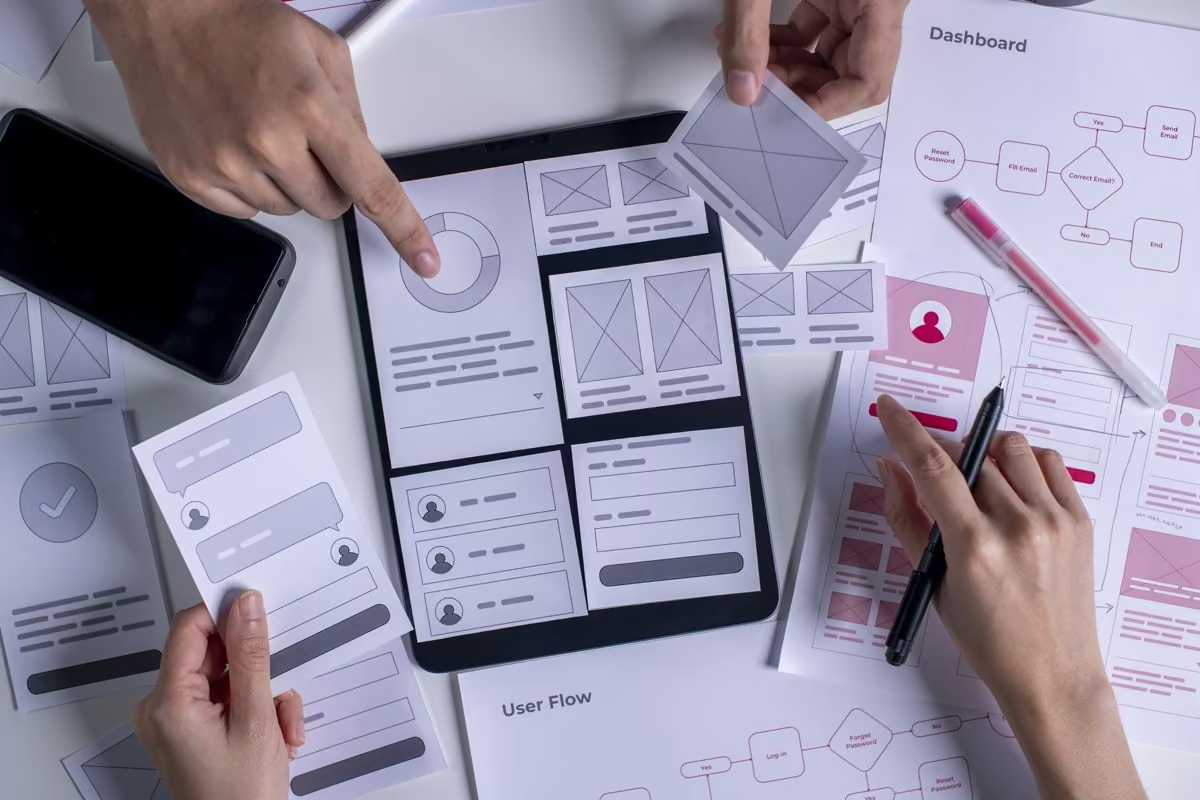
Organise your pages and navigation
Limit overlapping categories, refine the filters and make internal search useful. The essential elements should remain easy to access: menu, basket, contact details, practical information and a customer account when it offers genuine value. For a shop with a large product range, a coherent architecture also makes it easier for search engines to explore the site and reduces the number of pages that are hard to find.
Write precise, engaging product descriptions
A product page brings together an original description, benefits, specifications, variations, availability and a clearly visible add-to-basket button. Often aim for 150 to 300 words for a standard product page, with more where complexity or advice makes it worthwhile: this is not a universal SEO rule. Display prices and terms unambiguously. Avoid copying the supplier's text; your expertise is a valuable selling point. For a complex product, a demonstration video or downloadable instructions can complement the description. Being able to ask a question is better than an endless promotional pitch.
For images, you could start with square visuals of 1,200 × 1,200 px, sharp enough for zooming, then export them in WebP or AVIF where your platform allows. Portrait formats can show a product being worn or used. Optimise file size without losing detail; use descriptive alternative text, generally short, rather than stuffing it with keywords.
Keep product information reliable over time
Plan for SKU references, variations, barcodes where useful, available stock and restocking rules. Synchronising inventory with your physical shop prevents the same item from being sold twice. This attention to detail reduces cancellations and ensures reliable information.
7. Design a shopping experience that encourages conversions
An attractive visual identity catches the eye. A simple customer journey turns that attention into action. Every extra step, every unclear label and every surprise in the basket can make an otherwise interested buyer hesitate.
Mobile-friendly, fast and accessible design
Start with the phone screen: thumb-friendly navigation, sufficiently large buttons, lightweight photos, readable text and easy-to-complete forms. Measure performance rather than relying on impressions. Also consider contrast, keyboard navigation and clear labels: accessibility benefits everyone. The best experience never forces visitors to guess what they are supposed to do.
Test the journey on an average internet connection, not just on a recent computer. An optimal interface does not need to display anything extraordinary: it loads quickly, makes it easy to go back and ensures every choice is understandable.
Build trust without unnecessary gimmicks
Display contact details, genuine reviews, delivery times, guarantees and refund policies close to the points where customers make decisions. An honest brand story helps more than a fake countdown timer. Present familiar payment methods, available support and the real benefits of your offering. Consumers need to understand what they are buying, from whom and under what conditions.
Simplify checkout
Where the customer journey allows, let buyers complete their purchases without mandatory registration. Reduce the number of fields, explain errors, display prices before the final step and offer several relevant payment options. To analyse abandoned baskets, look at where visitors leave the checkout rather than automatically adding a discount. A low conversion rate may indicate friction, a lack of trust or poorly targeted traffic.
To optimise checkout, start with one measurable change: reduce the number of fields, clarify delivery times or present payment options more effectively. Then compare the results, rather than changing ten elements at once.
Make your shop a destination that matters
At Qreative, we do not start with a template to fill in, but with what sets you apart: your expertise, your commercial ambitions and your customers' expectations.
Our team designs online shops where web design, development, catalogue presentation and the shopping journey work together. Every detail is carefully considered to make navigation feel natural and decisions easier.
Working alongside you, we build a shop that is easy to manage, enjoyable to browse and able to evolve, with solutions designed for your day-to-day needs and results you can assess as sales come in.
8. Organise payments, orders and delivery
The moment a customer clicks "place order" marks the beginning of a new promise. Everything that follows must be as reliable as the shopfront: confirming payment, preparing the parcel, communicating the correct information and resolving problems quickly.
Offer suitable payment methods
In Belgium, Bancontact and bank cards have an important place, alongside options such as PayPal, Apple Pay or Google Pay, depending on your customers. Compare providers, including Mollie and Stripe, on fees, refunds, fraud prevention and technical integration. An online transaction must be encrypted and processed through a solution compliant with applicable standards. Test accepted, declined and refunded payments before opening.
In particular, check what happens after an interruption: a card error should neither empty the basket nor create two orders. The customer should receive a clear message and know how to return to their basket.
Plan stock management, storage and shipping
Logistics begin long before the courier arrives: receiving goods from suppliers, checking them, storage space, order preparation, labelling and tracking. Set realistic delivery times and clearly defined delivery areas. Belgian legislation generally requires at least two delivery options, one of which is more environmentally friendly, with exceptions including businesses less than three years old or those offering click and collect only. Clearly inform customers about the options available.
Manage returns and after-sales service
Document the process: order confirmation, tracking number, return request, refund and response to complaints. Avoid hiding policies in a PDF. Accessible customer service reduces tensions and encourages loyalty.
You can include thank-you cards or small gifts, but they will never make up for a parcel arriving too late or an unanswered request. Also decide who will handle each situation: damaged parcels, incorrect products or incomplete shipments. A short procedure that the team knows is often better than an improvised response when the pressure is on.
9. Comply with the legal requirements for an e-commerce website in Belgium
Regulation is not an obstacle to work around: it lays the foundations for a transparent relationship. From launch, buyers must know who is selling, what is being offered, how much they will pay and what will happen if something goes wrong. Requirements vary according to the business, the target country and the nature of the goods.
Make the required legal information accessible
In particular, provide the business name, address, professional email address, company registration number and telephone number. Distinguish between legal notices, terms and conditions of sale, the privacy policy and any terms of use governing the service. Display the total price, additional charges, delivery restrictions, guarantees and withdrawal conditions before checkout is confirmed. The final button must clearly indicate the obligation to pay. Check every applicable requirement rather than copying free terms and conditions from another website. For B2C sales, the right of withdrawal is generally 14 days, subject to exceptions.
Since 14 August 2026, the interfaces concerned must provide a simple, easy-to-find online withdrawal function during the applicable period. Check that your customer journey complies, rather than relying solely on your legal texts.

Personal data, security and consent
Apply the GDPR: explain why data is processed, limit the information collected, secure access and correctly configure cookies that require consent. Backups, updates and administrator permissions should be part of your routine. Protect both your customers' data and your business information.
Accessibility, VAT and industry-specific rules
E-commerce services within the relevant scope have been subject to accessibility requirements since 28 June 2025; in Belgium, a transitional period until 28 June 2030 applies to certain microenterprises. For cross-border sales, check VAT rules, including the OSS scheme. Since 1 January 2026, structured electronic invoicing has applied to most B2B transactions between Belgian VAT-registered businesses, not ordinary consumer sales. Also check consumer protection, general product safety and industry-specific rules. If in doubt, consult the FPS Economy and a qualified adviser.
10. Prepare your shop's visibility before launch
An e-commerce website can be technically ready yet commercially invisible. Digital marketing needs to be planned in advance, with a coherent customer acquisition strategy: reaching people who are looking for a solution and encouraging others to discover your brand.
Lay the foundations of e-commerce SEO
For organic SEO, assign a clear search intent to each category and write descriptive titles. As an editorial guideline, a title tag of 50 to 60 characters and a meta description of 140 to 160 characters are often practical, although Google does not impose these as fixed limits. Pay attention to URLs, internal linking, helpful reviews and Product structured data. Set up Google Search Console and a sitemap; Google Merchant Center lets you provide additional information about the products you sell.
Combine marketing channels according to your products
Google Ads and Shopping can reach people with an existing need; social media inspires customers, shows products in use and builds a community. Social commerce can also bring product discovery and interaction with your brand closer together. Email marketing, partnerships, content creators and a blog provide other opportunities to connect. A highly visual business can use vertical posts of 1,080 × 1,350 px on Instagram, while 1,200 × 630 px sharing images work well for many web previews. Check the specifications for each channel.
Give people a reason to visit on opening day
Before launching a campaign, prepare your landing pages, your promise and conversion tracking. A demonstration, a welcome offer or practical advice can help. To sell online, a digital marketing calendar is often more useful than a one-off post. Schedule content, conversations with partners and permitted follow-ups before opening. However, avoid spending the entire budget on advertising before you know how well the customer journey performs. Artificial intelligence can help with idea generation or certain content, but it does not remove the need to check facts or build a distinctive brand voice.

11. Test your website and launch successfully
The final stretch should never come down to "everything seems to work". Ask people to try your shop who were not involved in creating it. Their moments of hesitation will often reveal what the team no longer notices. Ask them to follow a specific scenario, from first contact to checkout confirmation, and describe aloud the moments of uncertainty. This exercise reveals practical improvements.
Test the entire customer journey
A simple checklist helps you test real-world scenarios:
-
Searching for a product, filters, availability and variations.
-
Mobile display, links, forms and access to the basket.
-
Test orders with successful, declined and refunded payments.
-
Taxes, deliveries, automatic emails and tracking numbers.
-
Backups, redirects, indexing, security and legal pages.
Prepare a visible, well-managed launch
Connect your final domain name, activate analytics tools and check that search engines can access important pages. Google recommends verifying ownership, submitting a sitemap if needed and checking indexing. Announce your opening with a reasonable schedule. A gradual launch can be more sensible than a massive campaign on day one. You can open your online shop to a small group first, then expand access once the settings are stable. Prepare an announcement, someone to be on hand and a plan for fixing issues if a feature breaks.
Support the first orders
During the first few weeks, check payments, stock shortages, messages and shipments every day. Keep someone available to resolve issues quickly. This monitoring helps prevent an incident from tarnishing your launch.
12. Measure your first sales and plan what comes next
Your first statistics should help you make better decisions, not fill an impressive-looking dashboard. Set a concrete goal: generate profitable orders, improve average order value, reduce abandoned baskets or increase customer loyalty.
Track a few genuinely useful metrics
Look at qualified traffic, conversion rate, average order value, acquisition costs and margins. With Google Analytics 4 and Search Console, compare observed user journeys with commercial performance, while respecting consent requirements when collecting data. Figures need to be interpreted together: lots of visits do not necessarily mean lots of sales.
For a more detailed view, segment by source, device and product category. Rising revenue can hide excessive advertising costs. Your dashboard should show profitability, not just volume.
Bring customers back without overwhelming them
Post-purchase follow-up, quick responses and relevant recommendations matter more than a flood of emails. Ask for a review at the right moment, address recurring causes of dissatisfaction and expand your catalogue carefully. Winning over new customers often takes considerable effort; looking after those who already trust you is a strategy in its own right. A loyalty programme, user instructions or a restocking reminder can extend the relationship. Set aside time for a monthly review: what should you keep, what needs correcting and what new idea should you test next?

Conclusion
Creating an e-commerce website in 2026 involves much more than setting up an online shopfront. You need to understand your market, select products, control costs, choose suitable technology and make every purchase simple, secure and enjoyable. Then come the steps that make the difference: keeping your delivery promises, meeting legal obligations, building your visibility and listening to early feedback.
You do not need to launch a perfect shop or add lots of features from the outset. You need solid foundations, clear goals and decisions you can refine based on the results. At Qreative, we believe in this approach: combining strategy, design, development and measurement through transparent dialogue. So your online business can grow at your own pace without losing sight of what matters most: the people who choose you.
FAQ
Can you start an online business for free?
You can test an idea using a trial environment, a subscription-free plan or a demo shop. However, starting a business for free does not mean running it without expenses: a domain name, visuals, equipment, promotion and sometimes hosting still need to be factored in. Your operating model also affects the budget.
Before going live, distinguish between what is simply a test and what constitutes a sustainable business. This will help you set a realistic budget and avoid confusing exploring a software platform with commercial viability. Establishing these foundations early on helps prevent unpleasant surprises when your first customers arrive.
What is the legal framework for starting an online business in Belgium?
Running an online business on a regular basis involves certain administrative formalities: registering with the Crossroads Bank for Enterprises, checking the applicable VAT rules and, depending on your circumstances, operating as a sole trader or through a company. The regulations also depend on the products being sold and their destination.
For reliable information, you can consult an accredited business counter or an accountant. Check which procedures apply to your situation before committing to any expenses. This helps establish a solid administrative foundation without following advice intended for other countries.
Which platforms are suitable for online shops just starting out?
The right platform depends on the types of products you sell, how independently you want to manage your shop and your plans for future development. Online shops built using a template are often well suited to straightforward projects. Other architectures become relevant when you need to connect multiple systems or tailor the customer journey to the needs of a particular industry.
Ask for a demonstration to see how easy it is to carry out day-to-day tasks: adding a product, editing text, managing access permissions and exporting files. A clear help centre and dedicated points of contact are just as valuable as an attractive interface. Above all, make sure your team will be able to work independently.
How much time should you allow to launch an online shop?
For a straightforward e-commerce website, a few weeks may be enough if the copy, images and business rules are ready. Custom development or integrations with existing systems will generally extend the timeline. The deciding factor is often preparation rather than how quickly the software can be installed.
Establish a clear approval process with the people responsible and define the expected deliverables. Each new phase should begin only once the necessary checks have been completed, to avoid knock-on delays. A realistic schedule gives everyone a clear view of progress, without rushing important decisions.
Do you need a physical shop to sell online?
No. You can run your business remotely from a suitable space, in partnership with another provider or through a distribution model that reduces the need to handle goods. However, you remain responsible for the commitments made to customers, even when certain operations are outsourced to a third party.
If you have a physical shop, digital channels can strengthen existing customer relationships through reservations, in-store collection or showcasing products that are not available on the shelves. The key is to explain clearly how everything works and maintain consistent service across your different sales channels.
Where can you find reliable legal information before launching your website?
A consumer-facing website must make the seller's contact details, contractual terms and required information accessible before checkout. The rules vary depending on the products sold and the target markets. Rather than relying on generic templates, prioritise official sources.
You can consult the FPS Economy: visit the page by opening the link in a new tab or window. Have the relevant documents reviewed if your product range includes goods subject to specific regulations. Clear, easy-to-understand wording protects both your business and consumers.
Can you expand your business internationally from the outset?
Yes, but expanding internationally requires careful preparation: languages, currencies, tax regulations, potential customs formalities and cultural differences. Having a website accessible from another country does not guarantee a satisfactory customer experience for an international audience.
Start by choosing one priority market and assessing the practical requirements before expanding further. For certain transactions within the European Union, the OSS scheme simplifies VAT reporting. This gradual approach allows you to learn without spreading your resources too thin.
How can you attract your first visitors to a new online shop?
A new retailer should start by identifying what their audience is really looking for. Educational content, local partnerships, demonstrations and conversations on social media can generate genuine interest among potential customers. Advertising can then amplify the initiatives that are already working.
Maintain a useful content strategy: explain how products are used, answer questions and show what sets you apart with concrete examples. Every new piece of content should offer readers something of value, rather than simply fill a publishing calendar. Analyse the responses to decide what to try next.
What should you check before welcoming your first customers?
Even a comprehensive guide is no substitute for hands-on testing. Ask someone outside your team to test the customer journey: browsing on mobile, product availability, automated messages, contact details and how customer support works. Ask them to describe any moments of hesitation aloud. You'll often uncover details your team no longer notices.
When it comes to launching, opt for a gradual rollout and make sure someone is available if anything unexpected happens. You can then closely monitor your first customer interactions and adjust your content based on the difficulties you observe. At Qreative, this approach of listening and making practical improvements guides the support we provide.
Are there any grants available for opening a shop in Belgium?
Depending on the region and the entrepreneur's circumstances, a grant or business support scheme may help fund certain digital services. However, not all funding schemes cover the development of an online shop: eligibility criteria vary depending on the nature of the work, its location and the applicant's circumstances.
Support schemes can change throughout the year. Before including grants in your financial forecasts, check the latest eligibility requirements with regional organisations and public authorities. In Brussels, hub.brussels provides guidance to aspiring entrepreneurs; in Wallonia, the business vouchers portal explains the relevant support schemes.