

How to Successfully Redesign a WordPress Website
A WordPress website rarely becomes outdated overnight. It evolves in small layers: a page added in a hurry, a plugin installed to meet a specific need, an evolving service offering, a forgotten extension, a poorly configured cache, or a dashboard that gradually becomes cumbersome. For a while, the website remains online and appears to function properly. Then the warning signs begin to emerge: slow loading times, confusing navigation, declining traffic, a low conversion rate, or errors in Google Search Console.
Redesigning your website’s functionality then becomes an opportunity to regain a clear overall view. Not to erase what already exists, but to identify what should be retained, improved, redirected, or migrated. Careful preparation protects your search rankings, data, 301 redirects, staging environment, files, forms, and launch process. In 2026, a successful WordPress redesign requires a comprehensive approach that combines technical improvements, web design, SEO, security, testing, and post-launch monitoring.
Key Takeaways
-
A successful WordPress redesign goes beyond a new design: it also involves strategy, usability, SEO, performance, and maintenance.
-
The process should always begin with an audit of the existing website to understand what is already working and what is holding back results.
-
Existing SEO value must be protected, including high-performing pages, URLs, 301 redirects, internal linking, the sitemap, and Search Console.
-
A staging environment makes it possible to test the new version without disrupting the live website.
-
An effective redesign should result in a clearer, faster, and easier-to-manage website that is better aligned with customer needs.
1. Understanding What a WordPress Redesign Really Involves
A WordPress website redesign does not necessarily mean a complete rebuild. Depending on the condition of the current website, it may involve minor updates, a visual refresh, structural changes, technical improvements, or a full overhaul. This is often where projects become unclear: people talk about “redesigning the website” without defining what needs to change, what should remain, and what deserves to be improved.
Website Update, Visual Redesign, or Full Redesign: What Is the Difference?
Before redesigning a website, it is important to make a simple distinction. An update improves what already exists. A visual redesign modernises the appearance. A structural redesign reworks the site architecture, user journeys, and page organisation. A full redesign also covers SEO, content, development, security, performance, and content management.
| Type of Work | What Changes | When to Consider It |
|---|---|---|
| Website update | Copy, images, plugins, minor corrections | The website remains healthy, but certain elements need to evolve |
| Visual redesign | Visual identity, web design, layout | The website looks outdated, but its structure remains coherent |
| Structural redesign | Navigation, user journeys, pages, internal linking | Visitors struggle to find their way around or services are poorly organised |
| Full redesign | Strategy, SEO, UX, technical setup, content, performance | The website no longer supports the company’s objectives |
Why You Should Not Always Start from Scratch
Understanding these differences helps avoid launching an unnecessarily complex project when gradual optimisation would be enough. Conversely, it also prevents you from settling for a simple cosmetic refresh when the technical, editorial, or strategic foundations are no longer strong enough.
At Qreative, this approach reflects the way we design a professional website: a website should do more than look appealing. It should serve a clear purpose, support your communication strategy, and generate measurable results.
2. Recognising the Signs That a WordPress Website Needs Redesigning
A WordPress website does not become outdated overnight. It ages through accumulation: a theme that is no longer suitable, plugins added over time, pages created without a clear structure, an evolving service offering, a less visible form, or a mobile experience that no longer meets current expectations. A redesign becomes necessary when these warning signs begin to affect results.
A Brand Image That No Longer Reflects Your True Level
One of the earliest signs is often visual. Your website is online, but it no longer creates the right impression. The company has grown, its services are better defined, and its customers have changed, yet the website appears to be stuck in an older version. This gap may seem subtle, but it can influence trust within the first few seconds.
A User Experience That Makes the Journey More Difficult
The second sign concerns the user experience. When visitors cannot quickly find your services, need to click too many times, hesitate to complete a form, or leave the page before understanding your value, the issue is not purely visual. It also affects the architecture, messaging, and calls to action.
A Technical Foundation That Is Becoming a Burden
Other indicators should also raise concerns: slow loading times, a decline in contact enquiries, stagnant SEO rankings, a difficult-to-manage admin area, recurring errors, too many plugins, or weak security.
In these situations, a website redesign becomes a responsible decision. Not because you want to follow a trend, but because the website is no longer fulfilling its role effectively. A showcase website, a WooCommerce online store, or a more specialised platform must remain functional, easy to understand, and suited to user behaviour.

3. Start with an Audit Before Changing the Design
The most common mistake is to begin with the mock-ups. A visual identity, theme, builder, and a few visual effects are selected, only to discover too late that the real problems lie elsewhere: poorly ranked pages, weak content, sensitive URLs, slow server performance, or a lack of analytics tracking.
Review the Existing Website Before Making Decisions
A website audit provides a more informed starting point. The aim is not to judge the old website, but to understand what it communicates. Which pages attract traffic? Which queries generate impressions? Which services receive clicks? Where do visitors leave the journey?
This stage produces a concrete plan. Without data, a redesign remains based on assumptions. With reliable insights, it becomes a strategic project grounded in facts rather than visual preferences alone.
Check the Key Areas of the Audit
A thorough redesign audit examines traffic, conversions, the most visited pages, SEO rankings, mobile performance, caching, images, scripts, plugins, the theme, PHP, hosting, backups, and internal linking.
Understand What Should Be Retained
The audit helps determine what should be removed, merged, rewritten, redirected, or strengthened. An imperfect page can sometimes be improved rather than deleted. An older article may still generate organic visibility. A landing page may continue to bring in enquiries.

4. Define Clear Objectives to Guide Every Decision
A successful redesign begins with one simple question: what do you expect from the new version? Modernising the brand image is not enough. This ambition must be turned into a concrete objective, because every decision involving structure, design, content, or development should support a clear priority.
Turn an Impression into Measurable Data
For an SME, the priority may be to increase quote requests. For an association, it may involve making information more accessible. For a local business, the main objective may be greater visibility in search engines. For an online store, the challenge may be to create a smoother purchasing journey.
A redesign can therefore serve several purposes: attracting more qualified visitors, improving search engine optimisation, clarifying the service offering, strengthening credibility, simplifying day-to-day management, or preparing for a more ambitious digital strategy.
Prioritise According to Real Needs
Not every ambition has the same level of urgency. A slow website will require significant technical optimisation. A website that fails to convert will need clearer messaging, stronger CTAs, and better strategic pages. A poorly ranked website will need improvements to its SEO, content, and site structure.
This planning process makes decisions easier. Should this page be retained? Should a new feature be added? Is it necessary to change hosting providers? Should the team receive training? Every choice becomes clearer when it is connected to an expected result.
5. Protect Existing SEO Value Before Any Migration
A WordPress redesign can improve search rankings, but it can also weaken them when handled without proper preparation. The risk does not come from the new design alone. It mainly comes from URL changes, pages removed too quickly, missing redirects, or metadata updated without a clear strategy.
Map Important Pages and URLs
Before any migration, it is essential to create a list of all connected URLs. This map should include service pages, blog articles, categories, useful media files, pages that consistently attract traffic, and those that receive backlinks.
This step protects everything that already creates value: traffic, visibility, authority, keywords, enquiries, and browsing habits. The aim is not to preserve every page at all costs, but to avoid removing anything that works before properly analysing it.
Prepare a Clear Redirect Plan
A 301 redirect plan is a key document. Every important old URL should point to a relevant destination rather than simply redirecting to the homepage. A good redirect preserves the visitor’s original intent: when someone is looking for a specific service, they should be taken to an equivalent page.
You should also check the XML sitemap, title tags and meta descriptions, H1 headings, internal links, canonical tags, 404 errors, indexing settings, and tracking in Google Search Console. A plugin such as Yoast SEO can help, but it cannot replace a proper methodology.
Highlight Improvements Without Losing Your History
Restructuring your website should not erase the value that SEO has already built. On the contrary, it should build on the existing foundation and make it stronger. This is where the difference lies between simply creating a new website and carrying out a carefully managed migration.
6. Rethink the Site Structure, Messaging, and User Journeys
A redesigned website should be easier to understand. This begins with the site structure. Visitors should quickly identify who you are, what you offer, why they can trust you, and how to take action. When the menu looks like an archive of past decisions, a redesign is the right opportunity to restore clarity.
Simplify Navigation
A strong structure helps both visitors and Google. It creates meaning, establishes clear pathways, and makes pages easier to explore. Core services should be visible, sub-services logically organised, proof points easy to access, and calls to action placed where they are most useful.
The aim is not to reduce everything, but to make every section useful. An overcrowded menu is tiring. Navigation that is too limited is frustrating. The right balance lies between clarity, depth, and search logic.
Clarify Strategic Pages
Copywriting plays a central role here. An effective page does more than describe a service. It explains the problem, presents the solution, highlights the benefits, builds trust through evidence, and guides the visitor towards an action. Editorial work should therefore support the web design process from the very beginning.
Strengthen Calls to Action
A well-managed redesign turns information into a clear journey. CTAs, forms, reassurance sections, and internal links should guide visitors without putting pressure on them. This level of precision improves conversion without making the messaging feel aggressive.
Give Your Online Presence New Momentum
At Qreative, we support businesses through this transformation, where clarity, fluidity, and reliability make all the difference.
Our team rethinks your current platform to guide visitors more effectively, strengthen your messaging, simplify user journeys, and prepare for a carefully managed launch.
Every project is built with method, careful listening, and a long-term vision, transforming your platform into a clearer, faster, and more valuable asset for your business.
7. Modernise the Web Design Without Sacrificing Effectiveness
Design plays a decisive role, but it should never take priority over usability. A website can look highly polished and still be difficult to navigate. Conversely, a minimalist interface can perform very well when it structures the messaging clearly, reassures visitors at the right time, and makes each action obvious.
Create a Professional First Impression
Modernising a WordPress website means improving the first impression, readability, and consistency. Colours, typography, spacing, visuals, icons, and animations should support the message. They are not there simply for decoration, but to guide the reader and strengthen the brand image.
Design a Smooth Mobile Experience
The mobile experience should be considered from the very beginning. Prospective customers often browse a website between tasks, on a phone, with an unstable connection and limited patience. Buttons should be easy to tap, text should remain readable, contact forms should be concise, and images should be lightweight.
This is also the right time to review the details that make all the difference: margins, overly long headings, stacked sections, the mobile menu, loading times, image behaviour, and CTA readability.
Consider Accessibility and Reading Comfort
Accessibility deserves a central place in the process. Sufficient contrast, a consistent heading structure, alternative text for images, understandable links, and comfortable navigation improve the experience for everyone.
For this type of project, a custom web design approach helps avoid generic templates. The aim is not to create a website “like everyone else’s”, but an interface tailored to your business, your audience, and their different preferences.
8. Clean Up WordPress to Start with a Healthier Foundation
A redesign is also an opportunity to clear out everything that has accumulated over time. Many WordPress websites become bloated because they have grown without a clear method: outdated plugins, unused media, scripts loading across every page, an overly rigid theme, oversized files, forgotten settings, or extensions that perform the same function.
Review the Plugins, Theme, and Modules
Cleaning up does not mean deleting everything. It means keeping what is useful, reliable, and maintainable. An essential plugin can obviously remain. However, an unused, abandoned, or unnecessary extension should be reconsidered.
The template or page builder should also be assessed. Is it still supported? Is it fast? Does it make pages easy to edit? Does it meet the project’s requirements? A custom WordPress redesign may sometimes require moving to a cleaner platform.
Optimise Images, Caching, and Hosting
Performance often depends on invisible elements: image sizes, caching, scripts, the PHP version, hosting quality, local or external storage, the database, and the overall configuration. Visitors do not see these choices, but they immediately notice slow loading times or technical issues.
In practice, images should be reviewed, unnecessary scripts reduced, caching properly configured, files checked, suitable hosting selected, and anything slowing down the website without delivering real value removed.
Strengthen Security and Maintenance
Security must be part of the process. Administrator access, backups, updates, data protection, the privacy policy, and regular maintenance all contribute to the website’s stability. A successful redesign should not only look good when it goes live. It should remain reliable over time.
9. Work on a Staging Website Before Going Live
Making changes directly to a live website is rarely a good idea. A staging environment allows you to work on a private copy, test the new version, fix bugs, and validate every feature before launch. This step provides reassurance for both the team and the client.
Test Safely on a Private Copy
A staging website makes it possible to check the design, forms, links, redirects, performance, responsive behaviour, specific modules, SEO settings, access permissions, and backups. When the website uses WooCommerce, a booking system, registration features, or a business integration, testing becomes even more important.
Plugins such as Duplicator can be useful for certain backup or migration tasks, but the tool alone is not enough. What matters is the method: knowing what to test, in which order, and according to which validation criteria.
Prepare a Launch Checklist
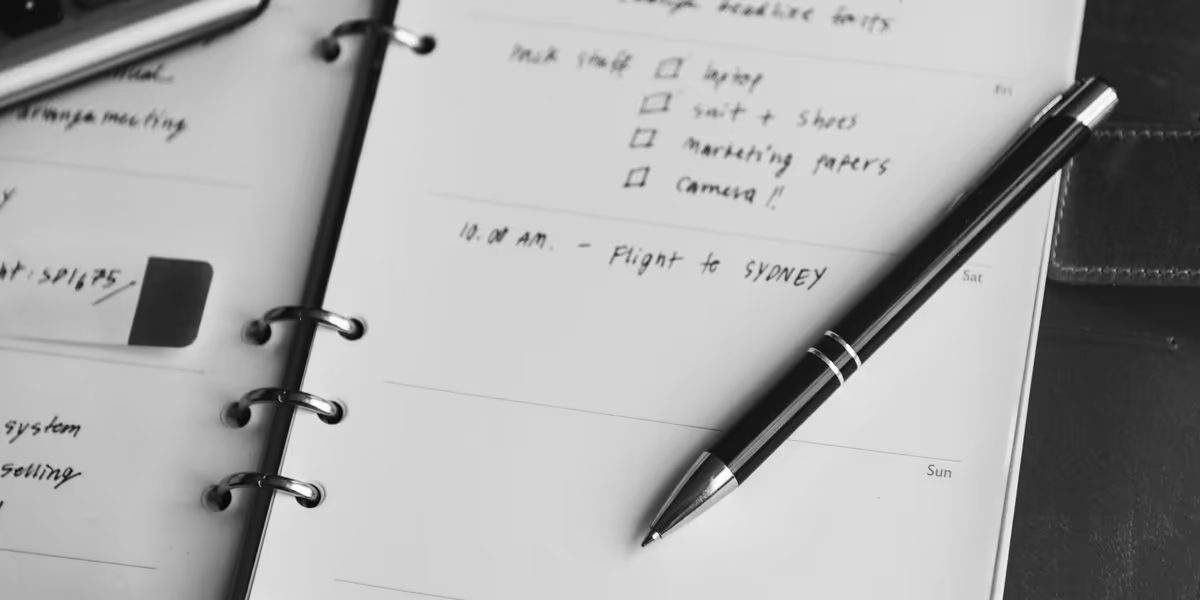
Before going live, a simple checklist can help prevent many problems. Each of these steps helps ensure that your methodology delivers the best possible results:
- create a complete backup of the files and database;
- check the redirect plan;
- test the contact forms;
- check the responsive design;
- activate the SSL certificate;
- verify the sitemap;
- check the robots.txt file;
- test the most important pages;
- configure the analytics tools;
- enable maintenance mode if necessary.
Keep the Launch Under Control
This checklist is not intended to slow down the project. On the contrary, it allows you to launch with greater confidence. A website redesign should remain under control right up to the final hours, as this is often when mistakes become the most costly.
For a project requiring more specific development, custom web development makes it possible to go beyond a combination of standard modules while maintaining a stable and scalable platform.
10. Track Results After the New Version Goes Live
Going live is not the end of the project. It marks the beginning of the monitoring phase. Even with thorough preparation, you need to observe how the new website meets your business requirements: indexing, traffic, rankings, speed, contact enquiries, CTA clicks, user journeys, and top-performing pages.
Check for Visible Errors
The first few days are used to identify immediate issues: broken links, 404 errors, forms that fail to send, an unreliable mobile menu, misaligned visual elements, incomplete caching, or missing tracking. These checks prevent a technical detail from undermining an otherwise successful launch.
Measure Real Performance
The following weeks make it possible to assess deeper signals: SEO progress, user behaviour, conversion rates, pages gaining or losing visibility, loading speed, and the quality of user journeys. Monitoring should remain practical. It is not enough to say that the website looks more modern. You need to verify whether it is more effective.
Make Gradual Adjustments
A responsible redesign does not promise magical results overnight. It creates the right conditions, measures the impact, adjusts what needs to be improved, and gradually strengthens your digital presence.
Ongoing website maintenance helps extend this work through updates, security, backups, continuous optimisation, corrections, monitoring, and regular improvements.

11. Choose the Right Approach for Your Redesign Project
No two redesign projects are the same. A small showcase website, a blog with a large archive of articles, an online store, a local platform, and a multilingual website all come with different requirements. The right method depends on the context, budget, level of urgency, digital maturity, and project requirements.
Clarify the Project Brief
A project brief helps structure this process. It does not need to be complicated, but it should clarify expectations: pages to create, pages to retain, required features, SEO constraints, training needs, the desired level of autonomy, the schedule, responsibilities, and validation criteria.
The clearer the framework, the smoother the collaboration becomes. The client knows what is included, the team knows what it needs to deliver, and every decision can be linked to a specific requirement.
Choose the Right Support
It is also important to choose the right partners. A freelancer may be suitable for certain targeted projects. A WordPress agency will be better equipped to accommodate your needs when the redesign requires several areas of expertise: strategy, copywriting, advertising, development, SEO, security, maintenance, data analysis, and ongoing support.
The right choice depends on the project’s complexity, but also on the level of guidance expected. A major redesign requires more than someone who knows how to use WordPress. It often calls for a WordPress expert, strategic insight, and a results-driven vision.
Avoid Overly Quick Solutions
Be cautious of solutions based exclusively on a free template, a quick tutorial, or a lowest-price promise. A WordPress website redesign affects your visibility, your brand, and your ability to convert. Price matters, of course, but it should be considered alongside the time saved, the pitfalls avoided, and the long-term stability achieved.
12. The Qreative Method: Turning a Redesign into a Growth Driver
At Qreative, we see a WordPress redesign as a constructive fresh start. The aim is not to judge the old website, but to learn the right lessons from it. What worked? What held back results? Which messages need to be clarified? Which pages deserve greater visibility?
Bring Strategy, Copywriting, Design, and Development Together
This approach combines several areas of expertise. Strategy sets the direction. Copywriting makes the offer clearer. Web design creates a credible and enjoyable experience. SEO protects and strengthens visibility. Development ensures stability. Maintenance supports long-term continuity.
A high-performing website is never the result of a single decision. It comes from a method, active listening, and the right balance between the client’s needs, visitor expectations, and technical constraints.
Work with Care, Collaboration, and Transparency
Close collaboration is essential. A digital redesign cannot succeed in isolation. It requires discussion, shared decisions, trade-offs, feedback, and a genuine understanding of your business. A web agency should be able to listen, advise, explain its choices, and work with transparency.
This collaboration makes it possible to create a website that feels more relevant. Not simply a new platform, but a digital tool capable of supporting your ambitions, your messaging, and your growth.
Build a Useful, Measurable, and Scalable Website
This vision guides our projects: creating websites for SMEs that support a digital strategy, strengthen credibility, and contribute to growth. A redesigned website should not only look better. It should become a clearer, more reliable, and more useful tool for your business.
Conclusion
Successfully redesigning a WordPress website does not mean changing everything and starting again from scratch. It means taking the time to analyse the existing website, protect its SEO value, clarify the messaging, and rebuild on a healthier foundation. A well-prepared redesign leads to a clearer, faster, and more professional website that is better aligned with your objectives.
In 2026, a WordPress website should be more than a digital showcase. It should support your visibility, make the visitor journey easier, and generate measurable results. With a structured, human, and transparent approach, a redesign becomes a genuine growth opportunity, transforming your current website into a clearer, more reliable, and more useful digital tool.
FAQ
When does a WordPress website redesign become necessary?
A redesign becomes necessary when your existing website no longer meets the needs of your business. The warning signs may be obvious: an outdated design, confusing navigation, a high bounce rate, slow performance, fewer enquiries, or a WordPress dashboard that has become difficult to manage. In this situation, it is worth asking whether a simple update will be enough or whether your website needs a more extensive redesign.
At Qreative, our team always recommends starting by assessing the current situation before making a decision. This analysis helps identify the real reasons for the redesign: improving your brand image, optimising navigation, strengthening SEO, or preparing a new marketing strategy. The aim is not to make changes for the sake of it, but to create measurable added value.
What is the difference between a simple redesign and a complete redesign?
A simple redesign may focus on the visuals, a template, or usability adjustments. It is suitable when the WordPress website still works properly but needs a visual or editorial refresh. A complete redesign also covers the architecture, content, SEO, performance, WordPress plugins, forms, technical integration, and sometimes the domain name.
The right approach depends on what you want to achieve with the redesign. If your goal is simply to modernise the appearance, a targeted update may be enough. If the website is slow, unclear, poorly optimised for search engines, or difficult to edit, a broader process will be required, including an action plan, planning, and rewriting to create a more stable WordPress website.
How can you prepare for a migration without losing your bearings?
Before migrating, you need to organise storage, list everything that needs to be stored, prepare access credentials, check the items to be transferred, and maintain a clear overview of what must remain ready before publication. Google, WordPress.org, and other reference points can help guide the process, but nothing replaces a proper working framework.
A redesign workshop can also help define the key stages, assess the redesign cost, and plan the rewriting of important sections. The aim is not to work under pressure, but to preserve a stable foundation, with an SEO-focused redesign, a controlled implementation process, and an environment where everyone can navigate more confidently before launch.
What tools can help during a WordPress migration or redesign?
Several tools can be useful depending on the context. Duplicator Pro, All-in-One WP Migration, Local by Flywheel, WordPress Studio, and certain backup tools can help prepare a working environment, test a migration, or move a website to another hosting provider. Plugins such as Yoast SEO can also make it easier to check tags, the sitemap, and certain SEO settings.
However, these tools should always be used methodically. A developer may carry out some operations manually when this is safer, particularly for a search and replace, a domain change, a complex migration, or a database check. The tool cannot do everything: what matters is that the forms, redirects, and integrations work properly once the website goes live.
Should you work on a live website or in a staging environment?
It is best to avoid working directly on the live website. A pre-production or staging environment makes it possible to test the design, premium theme, integrated page builder, plugins, forms, redirects, and performance before launch. It is a key stage for limiting issues and keeping the public-facing interface stable while the work is in progress.
This method also allows the client to share feedback before publication. The structure can be reviewed, content adjusted, usability checked, bugs fixed, and each stage of the redesign approved before the website goes live. At Qreative, this way of working reflects a transparent approach: it is better to test calmly than improvise at the last minute.
How much does a WordPress website redesign cost?
The cost of a website redesign depends on many factors: site structure, design requirements, technical complexity, SEO, content, features, migration, hosting, WordPress maintenance, and support. Redesigning a showcase website will not cost the same as redesigning an e-commerce website, a platform with user registration, or a project requiring a specific integration.
There is therefore no single fixed redesign price. To provide a reliable estimate, the existing website must be analysed, the objectives defined, the available redesign budget understood, and the project scope detailed in a specifications document. At Qreative, we favour a clear proposal based on real needs rather than a standard price that fails to reflect your specific context.
How can you prepare effectively for a WordPress redesign?
To prepare for a redesign properly, you should begin by carrying out an assessment, collecting data, defining the objectives, identifying the pages to retain, and specifying the required features. This preparation helps clarify the reasons behind the redesign and prevents decisions based solely on visual preferences.
Effective redesign planning should also cover the choice of theme, a review of WordPress plugins, backups, SEO, site structure, content, the timeline, and the launch plan. It works like a step-by-step guide: every decision should address the client’s needs and support a coherent digital strategy.
Can a WordPress redesign improve website performance?
Yes, a redesign can significantly improve performance if it addresses the right areas: media file sizes, caching, hosting, code, the theme, plugins, Core Web Vitals, media storage, and the quality of the page builder. A slow website does not always need a new design. Sometimes, it mainly needs a healthier technical environment.
The aim is to optimise performance without making the website difficult to manage. For example, it may be useful to reduce the number of plugins, choose a lighter theme, review media storage, remove unnecessary scripts, or improve mobile usability. These changes can create a better user experience and, in some cases, help increase qualified traffic.
Should you change your domain name during a redesign?
Changing the domain name is not mandatory during a redesign. In most cases, it is better to keep the existing domain to preserve its history, backlinks, and brand recognition. A change may be worth considering if the current name no longer reflects the business, if the company is repositioning itself, or if a more relevant domain becomes available.
When a change is necessary, it must be prepared very carefully. A migration or redesign involving a new domain requires a redirect plan, monitoring in Google Search Console, URL checks, updates to internal links, and post-launch monitoring. Once again, a WordPress migration should never be treated as a simple technical operation.
Why entrust your WordPress redesign to a specialist provider?
Redesigning a WordPress website requires several areas of expertise: strategy, SEO, copywriting, design and usability, development, WordPress maintenance, security, data analysis, and support. A specialist provider can help you make the right decisions, avoid migration issues, and create a website that is better suited to your target audience.
At Qreative, we follow an approach built entirely around listening, clarity, and measurable results. We are grateful to our clients for their feedback, which reminds us that a successful redesign is not only about technology, but also about collaboration. Our role is to help you create a more useful digital platform that is more coherent and more sustainable, rather than deliver the same template to everyone.
Why carry out a website audit before doing anything else?
A website audit allows you to start from a reliable source rather than relying on assumptions. It helps identify what is working, what is consistently holding back SEO, what is slowing down navigation, and what may be limiting business growth. You can analyse pages, the bounce rate, sessions, the internal linking network, the rewriting of editorial topics, and the mistakes to avoid before defining your objectives.
This methodology is essential for a small business that wants to improve SEO without losing its existing strengths. It also helps estimate the budget, define the key stages, prepare a coherent SEO architecture, and ensure a more stable launch. The idea is simple: move forward with a clear overview, measure every action, and consider the site structure from the very beginning.
Is WordPress suitable for businesses that want to retain control of their website?
Yes, WordPress remains a highly relevant solution for businesses that want to retain active control over their content. Its open-source platform, documented on WordPress.org, provides access to a wide range of features, allows plugins to be added, supports media storage management, and enables the website to evolve as needs change. With WordPress training or a dedicated workshop, the team can navigate the dashboard with greater confidence.
The key is not to configure everything solely around a technical preference. Every choice should serve a clear objective: limiting unnecessary plugins, securing data transmission, storing files correctly, managing strictly necessary or advertising-related cookies, and enabling each person to work efficiently. This clear approach is what supports the project’s long-term success.