

Google My Business: A Key Lever to Boost Your Local SEO
Today, more than half of internet users search for a nearby service or business before taking action. Booking a restaurant, calling a plumber, finding a florist, or checking store hours, it all starts on Google. In this context, Google My Business, now renamed Google Business Profile, has become an essential tool for strengthening local visibility and attracting new customers.
For local businesses, having a complete and up-to-date business profile is no longer optional but a real competitive advantage. A well-optimized profile allows you to appear in Google search results, on Google Maps, and even in the well-known Local Pack, those top three highlighted listings everyone sees. Beyond simple positioning, Google My Business directly impacts user trust, online reputation, and how easily potential customers can reach you.
Key Takeaways
- 46% of Google searches have a local intent.
- An optimized profile can generate up to five times more calls.
- Customer reviews directly influence visibility in search results.
- Regular activity (posts, photos, replies) improves ranking.
- It’s a free, accessible, and essential tool for your digital strategy.
1. What Is Local SEO?
Local SEO refers to all the actions that help a business appear in search results for users located in a specific geographic area. It’s an extension of traditional SEO, but with a geolocalized focus.
For example, when someone searches for “hairdresser in Nivelles” or “Italian restaurant in Paris,” Google highlights the most relevant, nearby, and well-detailed businesses first. That’s where your Google My Business profile comes in. It allows your local business to gain visibility, attract qualified traffic, and increase conversions without paid advertising. Unlike a website, this profile lives directly within the Google ecosystem, making it a fast and effective lever to strengthen your online presence.
2. Google My Business: The Core of Your Local Presence
Your Google Business Profile (formerly Google My Business) is much more than a simple form. It’s a powerful platform that brings together your information, activity, photos, products, and reviews. When users view your profile, they connect directly with your business on Google without having to visit another website.
Google offers a complete ecosystem: a profile linked to Google Maps, displayed in the Local Pack, integrated into search results, and even connected to other Google tools such as Ads, Analytics, and Gmail. This interconnection boosts your visibility on Google but also requires strict compliance with Google’s guidelines: consistent information, transparent customer reviews, and regularly updated content. Businesses that take an active approach to managing their Google Business Profile quickly see a measurable impact on traffic, phone calls, and customer inquiries.

3. The Key Features of a Google Business Profile
Google My Business appeals to companies because it combines the simplicity of a form with the power of a local network. Each profile acts as a dynamic digital storefront, always visible in search results and on Google Maps. When a user searches for a restaurant, craftsman, or local professional, Google automatically highlights the most complete and relevant profiles. This ranking, displayed at the top of the Local Pack, is what turns a simple search into an actual visit.
A Google Business Profile includes several essential elements: the business name, verified address, phone number, opening hours, business category, and a short company description. These basic details must be accurate, consistent across all your websites, and regularly updated. They form the foundation of your local SEO.
You can then enrich your profile with:
- High-quality photos and, more recently, live videos
- Posts to promote a new product or special offer
- Customer reviews management, with quick responses strongly recommended
- Showcased services or products
- Analytics tools to track performance such as views, clicks, and directions
Used effectively, this Google platform becomes a natural extension of your digital communication. It strengthens your online reputation, attracts new customers, and gives your business a prime position in local search results.
4. Creating and Verifying Your Business on Google
Setting up a Google My Business profile is simple, but it requires accuracy and consistency. It all starts with creating your Google account. If you already have a Gmail account, just log in to the platform and click “Manage my Business Profile.” This opens a setup window where Google invites you to enter basic information such as your business name, address, and primary category.
Tip: Complete the process from a computer in private browsing mode if you manage multiple Google Business accounts. This helps prevent profile mix-ups.
Once your profile is created, Google requires mandatory verification. Depending on your situation, a verification code may be sent by email, phone call, or postal mail to your business address. This step ensures that the ownership is legitimate and that the profile complies with Google’s guidelines. After confirmation, your profile becomes visible online and appears in search results as well as on Google Maps.
However, creating a profile is only the first step. You then need to claim it, customize it, and start adding relevant content such as text, photos, and updates. That’s how your business gains visibility on Google and helps local customers find you quickly.

5. Optimizing Your Google My Business Profile: More Than a Formality
A well-configured Google My Business profile is a powerful lever for boosting your company’s online visibility. After creating and verifying your business, it’s essential to refine every detail: name, address, hours, and description. This information must stay consistent across all your websites and social networks. Google’s search engine places great importance on consistency ; even a small error can damage your image or reduce your ranking in local results.
Optimization also depends on content. Adding authentic photos, posting regular updates, and showcasing your services strengthen your profile’s credibility. You can even claim or highlight industry-related elements such as new products, events, or promotions to show that your page remains active. In practice, an up-to-date profile grabs the attention of nearby users and encourages them to click to learn more.
Finally, analyze the data available through Google’s built-in analytics tools. These statistics show how many users viewed your profile, requested directions, or contacted your business. Used wisely, they turn your listing into a real management dashboard, helping you adjust your actions over time or by season. That’s how a simple profile becomes a lasting competitive advantage.
Make Your Local Presence Shine
With Qreative, every project becomes a clear window into the future, designed to create a lasting impact. We combine analysis, creativity, and personalized guidance to help you make the most of your local presence. Our goal is to build a strong, high-performing digital experience that aligns with your ambitions.
6. Reviews: A Key Factor in Your Local Visibility
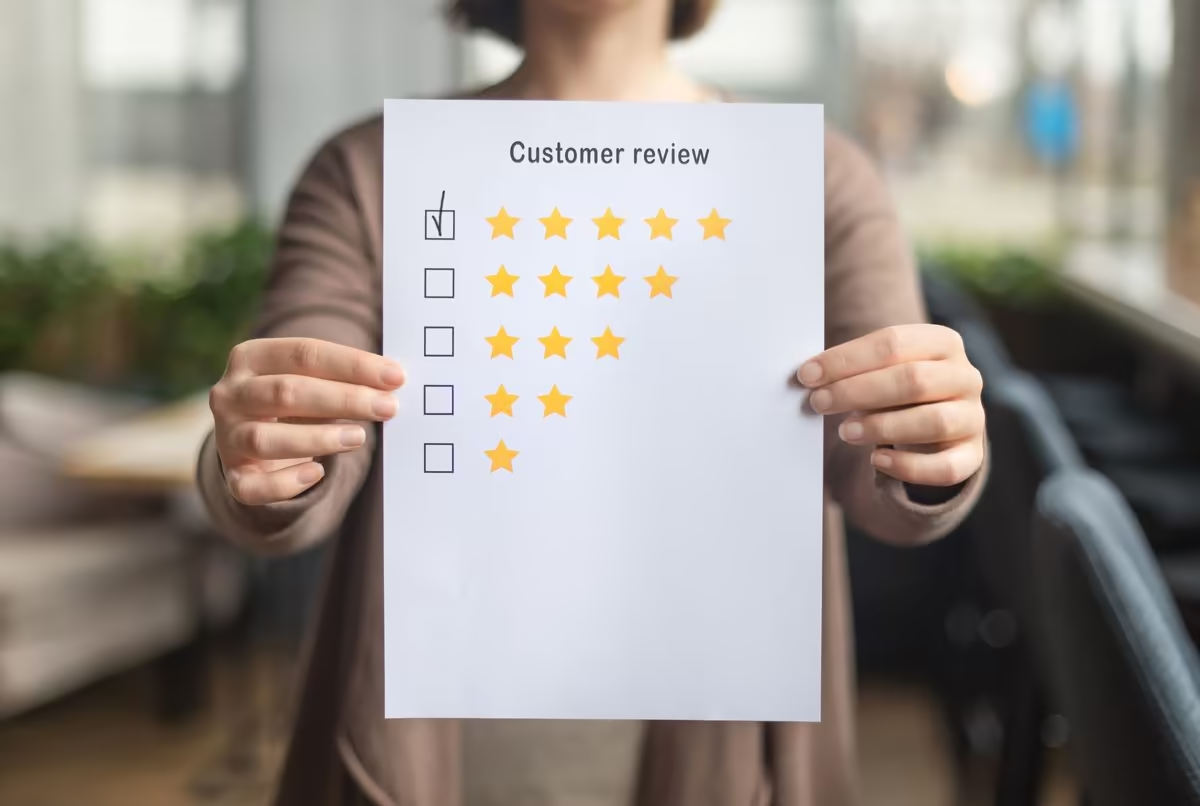
Customer reviews have a direct impact on both trust and visibility on Google. A profile that gathers frequent and diverse feedback ranks better, especially in the Local Pack. Every Google review, whether positive or negative, contributes to your company’s reputation. That’s why it’s important to encourage satisfied customers to share their experience through a link, an email, or your website.
When a negative review appears, don’t try to delete it. Respond politely, acknowledge any potential issue, and explain the steps you’ve taken to resolve it. This kind of professional response can sometimes turn a complaint into an opportunity. Ignoring a message, on the other hand, often works against you, as Google values businesses that engage with users and manage their profiles actively.
As Google’s AI evolves, it analyzes the tone, frequency, and quality of interactions. A responsive, clear, and authentic profile shows that your business is committed to its customers. In the long run, this strengthens not only your online reputation but also your position in search results. In other words, managing your reviews carefully is one of the best ways to improve your Google visibility.
7. Post Regularly: An Active Profile Attracts More Customers
For Google, an active business profile is a sign of reliability. Posting updates, adding photos, or sharing news are all signals that show your business is active and up to date. Each publication feeds your business profile, helps increase your Google visibility, and encourages local engagement. By maintaining consistent activity, you naturally stay ahead of your competitors.
Using Google Posts is simple and effective. You can share a promotion, a service, a recent project, or a running campaign. These posts, even though temporary, increase your contact potential. Just log into your Google account, access your dashboard, and select “Add update.” A small window opens where you can write your message, add an image, and include a link to your website. Even in private browsing mode, you can access it quickly, which is a useful trick for business owners managing multiple Google profiles at once.
These regular actions create a compounding effect. By adding visual and textual content, you feed the Google search algorithm, which favors active profiles. It’s also a great way to maintain your image, highlight what’s new, and attract customers without relying solely on Google Ads or social media. In a competitive market like France, every update can become an additional touchpoint with your local audience.
8. Analyze Your Performance for Long-Term Growth
A Google My Business profile is more than a showcase; it’s also a tool for analysis and improvement. With the analytics available in the Google Business Center, every owner can monitor visitor behavior in real time. Metrics such as clicks, calls, direction requests, and website visits provide a clear view of your business performance. Using these insights helps identify what works and where you can improve your Google visibility.
Search engines favor profiles that show steady progress in their indicators. To achieve this, you need to understand the key metrics. A sudden drop in calls may signal an unresolved negative review, incorrect information, or outdated hours. This is where your role as a professional manager comes in: tracking trends, reacting promptly, and responding to reviews with tact and speed. These small adjustments can have a significant impact on your overall ranking.
Finally, remember that Google is a constantly evolving platform. Its algorithm now includes factors related to user experience and visitor behavior. Monitoring your profile, comparing your statistics with competitors, and using Google Analytics reports help refine your strategy. Every update, every response, strengthens both the credibility and the long-term performance of your business on Google.

9. Suspended or Blocked Profile: What to Do
Sometimes a business owner discovers that their Google My Business profile has been suddenly suspended. Don’t panic — this situation is common and often temporary. It usually results from Google’s automated review process, designed to protect users from duplicates, fake reviews, or non-compliant profiles. In most cases, the issue comes from a human error or a lack of consistency in managing the account.
Most common causes:
- Inconsistency between the business name, address, or domain
- Multiple profiles created for the same location or activity
- Suspicious or flagged reviews from users
- Non-compliant content that violates Google’s or the social platform’s policies
- Too many recent edits or an attempt to claim an already verified profile
- Using private browsing mode or another business account during verification
- Accidental deletion of an admin access
To fix the issue, log into your business account and check all your information : name, address, phone number, and website. If everything looks correct, follow the help menu instructions and submit a review request through the Google Business Center. If possible, attach proof of activity (invoice, photo, or social media link) to help the support team verify the legitimacy of your profile. Processing usually takes a few days, but once your data is confirmed, your profile is restored quickly.
If in doubt, avoid editing several fields at once, as that can trigger another suspension. Take a breath: in most cases, your profile will return to the top of search results once the verification is complete.

10. Conclusion
Google My Business is no longer just a secondary asset but a powerful growth driver for any business looking to strengthen its local presence. In just a few steps, you can optimize your profile, publish regular updates, and engage directly with your customers. Every update, review, and interaction adds to your business’s credibility on Google’s search engine while offering a more human and locally relevant experience.
The benefits of Google My Business are tangible: greater visibility, new leads, and stronger trust. By investing a bit of time in managing your Google profiles, you can attract customers, build your reputation, and improve your Google visibility in a lasting way. This work, both strategic and relational, turns your profile into a living showcase that can positively shape your brand image over the long term.
FAQ
Why is Google My Business essential for a local business?
A well-configured Google My Business profile makes your business visible where your customers are looking for you: on Google, Maps, and in the Local Pack. This professional asset helps you manage your information, reviews, and photos while strengthening your online credibility.
At Qreative, we help every business owner enhance their local presence through clear and measurable management. An active, well-maintained profile is above all a digital storefront that attracts more visits, more calls, and more opportunities.
How can you create or claim a Google My Business profile?
To create a Google My Business account, simply log in through a browser in private mode and follow the steps in the setup menu. In just a few clicks, you can enter your business name, address, and activity category.
If a listing already exists, you can claim it through the Google Business Center and confirm your ownership. This verification ensures that you alone have full access to manage information, publish updates, and interact with your customers.
What are the main advantages of a well-optimized Google My Business listing?
An optimized listing enhances your local visibility and strengthens customer trust. It increases the chances of your business appearing at the top of search results and attracts an audience genuinely interested in your services.
Another key benefit is performance tracking. With the integrated analytics tools, you can monitor clicks, calls, and directions. At Qreative, we assist our clients with the ongoing optimization of their listings to turn this data into concrete actions and real growth.
How can you respond effectively to customer reviews, even negative ones?
Every review is an opportunity. Thank customers for positive feedback and handle negative comments professionally. Responding quickly and with empathy demonstrates your commitment to customer experience and your sense of service.
At Qreative, we always recommend using a human, clear, and constructive tone. A well-crafted response can sometimes turn a critical comment into a sign of reliability. It’s also a practical way to strengthen your local reputation over the long term.
How can you post effectively on Google My Business?
Google posts are an excellent way to bring your business profile to life. You can share a promotion, a news update, or an example of your work. Each post acts as a window into your business, allowing potential customers to discover what you do in a real context.
In practice, simply log in to your profile, click “Add an update”, and illustrate your message with a clear photo. Posting regularly has a positive impact on your visibility and shows Google that your business remains active.
What types of content should I add to my Google Business profile?
Your profile is a mini professional website: include photos, products, your services, and opening hours. You can also post news updates, special offers, or upcoming events, anything your potential leads might find useful.
The goal is to make people want to engage. A concrete example or a photo of your team makes your business feel more human and approachable. This authentic content helps boost your visibility on Google while creating a sense of connection with your customers.
What should I do if my Google Business profile is suspended or blocked?
No need to worry, a suspended profile isn’t lost. This usually happens when Google detects an inconsistency or unusual activity such as fake reviews, duplicates, or multiple edits. In that case, start by logging into your account and checking every detail such as address, name, category, and website.
Next, submit a request through the Google Business Center with the required proof, like an invoice, screenshot, or social media link. In most cases, the support team reactivates the profile quickly. The key is to stay transparent and avoid deleting or changing too many elements at once.
How can I analyze the performance of my Google Business profile?
The built-in analytics allow you to track your performance: how many people viewed your profile, called your business, or visited your website. These figures are essential for understanding what truly works.
By analyzing your results, you can identify which posts generate the most engagement. Qreative helps you interpret this data and adjust your actions to maximize your return on investment.
Can I use Google My Business to communicate with my customers?
Absolutely. You can communicate directly through the built-in messaging feature or even by video call if the option is enabled. This makes interactions smoother and creates an immediate sense of closeness with your customers.
This Google service turns your profile into a conversational space, almost like a social network, where anyone can ask questions or request assistance. It’s a simple and human way to build customer loyalty while showcasing your responsiveness.
How can I verify the information provided and ensure it complies with Google’s requirements?
First and foremost, it’s essential to regularly check the information listed on your profile. Opening hours, postal code, and external links can change without you noticing. Following these simple steps helps avoid display or consistency issues, especially when updates occur elsewhere online.
If you’re unsure, go to the settings menu to review each field and ensure everything complies with Google’s conditions and policies. If you notice anything unusual, you can submit a report to request a review. At Qreative, we recommend keeping a backup and using a private browsing window to view how your profile appears publicly.
How can Qreative help me optimize my Google My Business profile?
Our team supports you through every step: auditing, optimization, content writing, review management, and content strategy. We help you structure a high-performing profile, publish at the right time, and use the right levers to attract customers.
With an approach based on transparency and measurable results, Qreative turns your profile into a tangible asset. You gain visibility, credibility, and peace of mind, while making the most of everything Google My Business has to offer.
What are the best tips for engaging effectively and resolving common issues?
A good profile is, above all, an active profile. To engage effectively, you should respond clearly to messages, monitor notifications, and stay attentive to feedback. When an issue arises, take time to check the analytics section available in the main menu, as it often provides valuable insights into the cause of the problem.
If a temporary suspension or restriction occurs, don’t panic. Recheck the accuracy of your data, review the terms, and follow the platform’s recommendations to resolve the issue quickly. With a calm and structured approach, you can restore your profile’s visibility without compromising its credibility. At Qreative, this is what we call the strength of a key tool: knowing how to create and sustainably optimize your digital footprint.
Related articles

FAQs in 2026: why their visible SEO impact has declined, but why they remain useful for AI

What percentage of people use AI to search online?

GEO: How to Get Your Brand Mentioned by AI in 2026